

In late July, CYBERSHOKE added a small but handy thing: you can now invite a friend straight into your custom match lobby. Before that, to play with friends in CS2 you had to drop the connect in a DM or wait until the person found your match in the general list. Now they get an invite and join you in a couple of clicks.
According to the official custom matches page on CYBERSHOKE, everything sits in one place: you create the lobby, send the invite from there, and see the live list of active matches.
Why create your own server in CS2
You need your own server when you want to play with your own circle instead of whatever a random search throws at you. On your server you decide how it goes: which map, which format, who's in the lobby. Inviting a friend removes the last annoying step — no dictating a server address, no sharing a connect, you just call the person into the match.
This is exactly what people look for when they type "how to create a server in CS2" or "how to play with a friend in CS2": a simple way to spin up your own game and bring your people in. That's what custom matches on CYBERSHOKE are for.
How to create a server in CS2 and invite friends
The flow is simple. You open the matches page, create a lobby for the format and map you want, then send your friend an invite right from the lobby. They get the invite, accept it, and land in your match — no manually shared connect and no digging through the general list.
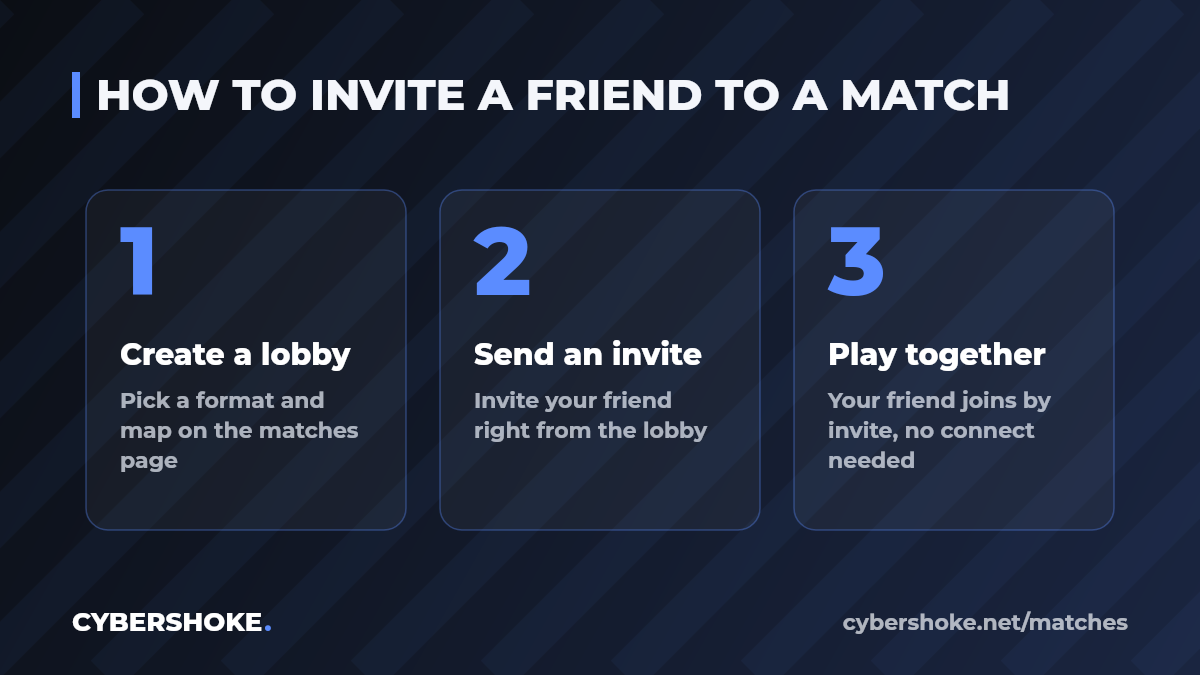
That's the answer to "how to create a server in CS2" without renting or configs: you pick the map and format, the project spins up the server. You can create your own lobby on the CS2 custom matches page on CYBERSHOKE.
How to play with friends in CS2 without randoms and cheaters
The main reason to build your own server is a calm game with your own squad. A private lobby has no random teammates and no cheaters: only the people you invited get in. Join filters help you close the lobby and keep your own company inside.
That covers the common "how to play with friends in CS2" and "how to make a private CS2 server" queries: you set up a closed lobby, invite your people and play without the usual headaches. You can spin up that kind of lobby on the CS2 custom matches page on CYBERSHOKE.
How to make a private CS2 lobby: 1v1, 2v2 and 5v5
The formats fit any company. Two of you — go 1v1 to settle who's better, or 2v2 for a warmup. Got five — take a full 5v5 with your own squad and play a proper match with no outsiders. Each format spins up its own lobby, and you can invite friends into any of them.
If you're searching for "how to make a CS2 lobby" for a specific format, you pick it while creating the match on the custom matches page on CYBERSHOKE.
What's inside a CS2 custom match lobby
Inviting a friend is the last touch to a lobby that already has everything for a game. The lobby has a chat, you can add bots and put modifiers on them, block unwanted players so they can't join, back the match up with the !backup command, and turn on an overlay. Join filters help you gather exactly the company you want.
You can see the full set of lobby settings while creating a match on the custom matches page on CYBERSHOKE.
How to play with a friend in CS2 — who it's for
A custom match helps in different situations. For newcomers — to practice with a friend without bothering anyone in the general search. For teams — to drill setups and utility with their own squad. For everyone else — to just gather an evening game in CS2 without randoms.
In all of these the answer to "how to play with a friend in CS2" is the same: create your own lobby and invite them. You can check current lobbies and create your own on the CS2 custom matches page.
How to create your match and invite friends
To spin up a server and bring your people in, open the CS2 custom matches page on CYBERSHOKE, pick a format and map, and send an invite to everyone you're going to play with. After that you just join the match and start.
Summary
Inviting a friend straight into the lobby is a small update that removes an extra step when gathering a squad in CS2. You create your own server, invite friends and play with your own team — no renting, no randoms and no extra setup.
Source
Source: official CYBERSHOKE custom matches page — https://cybershoke.net/matches
It has the current formats, maps, the list of active lobbies and match creation.